Rizu: Stage!
September 2024 — December 2024
Solo Programmer and Music Composer
Unity, C#, Perforce
Rizu: Stage! is a 2D rhythm dungeon crawler originally for Android tablet where you move and attack on the beat. I collaborated with a team of four, writing all of the game’s code and music. I also contributed heavily to the game’s design, focusing on the game’s rhythm and movement mechanics.
Soundtrack

Unity Development
Rizu: Stage! is a rhythm dungeon-crawler hybrid game inspired by Crypt of the Necrodancer. This required everything to be synchronized with a music track, in addition to implementing “turn-based” grid mechanics where everything moves on the same turn on a consistent beat. The combination of these two design goals led to a variety of interesting programming challenges.
Tile Movement and Collisions
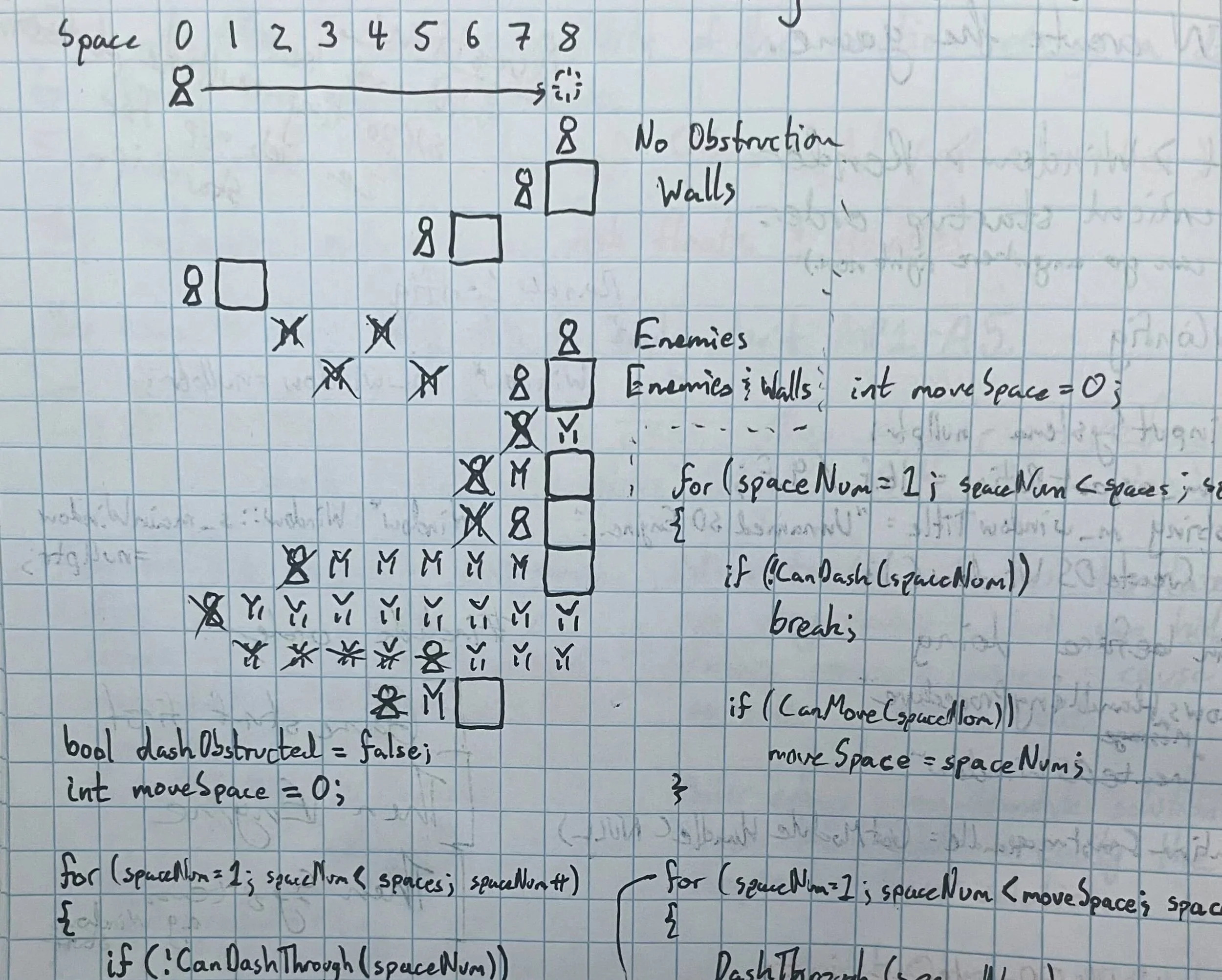
Working out a first pass of collision logic on paper.
In order to distinguish our game from Crypt of the Necrodancer, another rhythm-dungeon crawler game on a 2D grid, we wanted to give the player a unique movement option. We added a “charge” option that would allow Rizu to move multiple spaces in one go and damage enemies. The player can charge once to dash two tiles away or charge several times in a row to perform a much longer dash.
This flexible dash required a more robust system for handling player movement, since the player could theoretically attempt to move through any number of tiles with any combination of solid walls or enemies. Early prototype iterations of the dash would often run into issues where the player could either pass through walls or enemies unintentionally, or take damage unexpectedly. I worked out the ways the dash should interact against different combinations of enemies on paper before proceeding.
To determine what tile Rizu ends up on during a dash, I first iterate from Rizu’s starting tile along the direction of the dash until reaching a tile that cannot be dashed through (like a wall). I also keep track of the furthest tile that Rizu could move into. (Rizu cannot move into a space occupied by an enemy or a wall, but could move into a heath pickup or the microphone.) Only after this step does Rizu move to the furthest moveable tile, then “dash” through the tiles passed through. (For example, enemies have a Damage function called on them while a health pickup would be collected instead.)
Moving Enemies
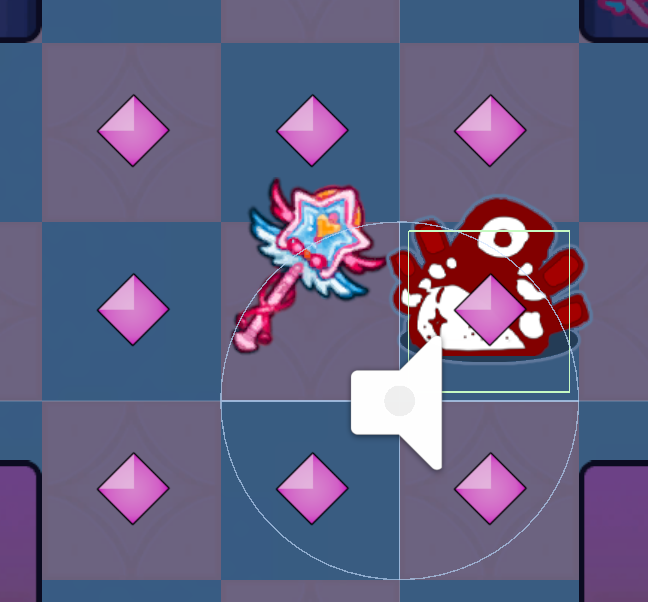
A moving enemy and its path points, as viewed in the Unity Editor.
Moving Enemies were critical for the game’s design to create more interesting situations for the player to navigate. We first added them in Alpha. These enemies utilized the delegates in the Conductor class to control their motion. They would visible move each turn on the first frame the player could input that beat, (d_downbeatStart) then run collision just after the last frame the player could input. This ensured that regardless of the players timing within a beat, the player and moving enemies would interact consistently.
In an effort to give our team’s level designers as much flexibility as possible, I made it so that each moving enemy owned a variable-length list of path points that it would move to in-order in an infinite loop. I also made the speed (i.e. how many beats the enemies would wait between moves) variable.
While this did succeed in allowing the level designers to create a variety of situations, the flexibility of the system also caused problems. Having to define every single path point made it easy to make mistakes in-engine—enemies either skipping over a tile entirely due to a missing path point, or enemies unpredictably idling on a tile due to an accidental extra path point. Additionally, we ultimately had to restrict the speed flexibility to only 3 set speeds (with three corresponding colors) to keep things simple enough for players to predict.
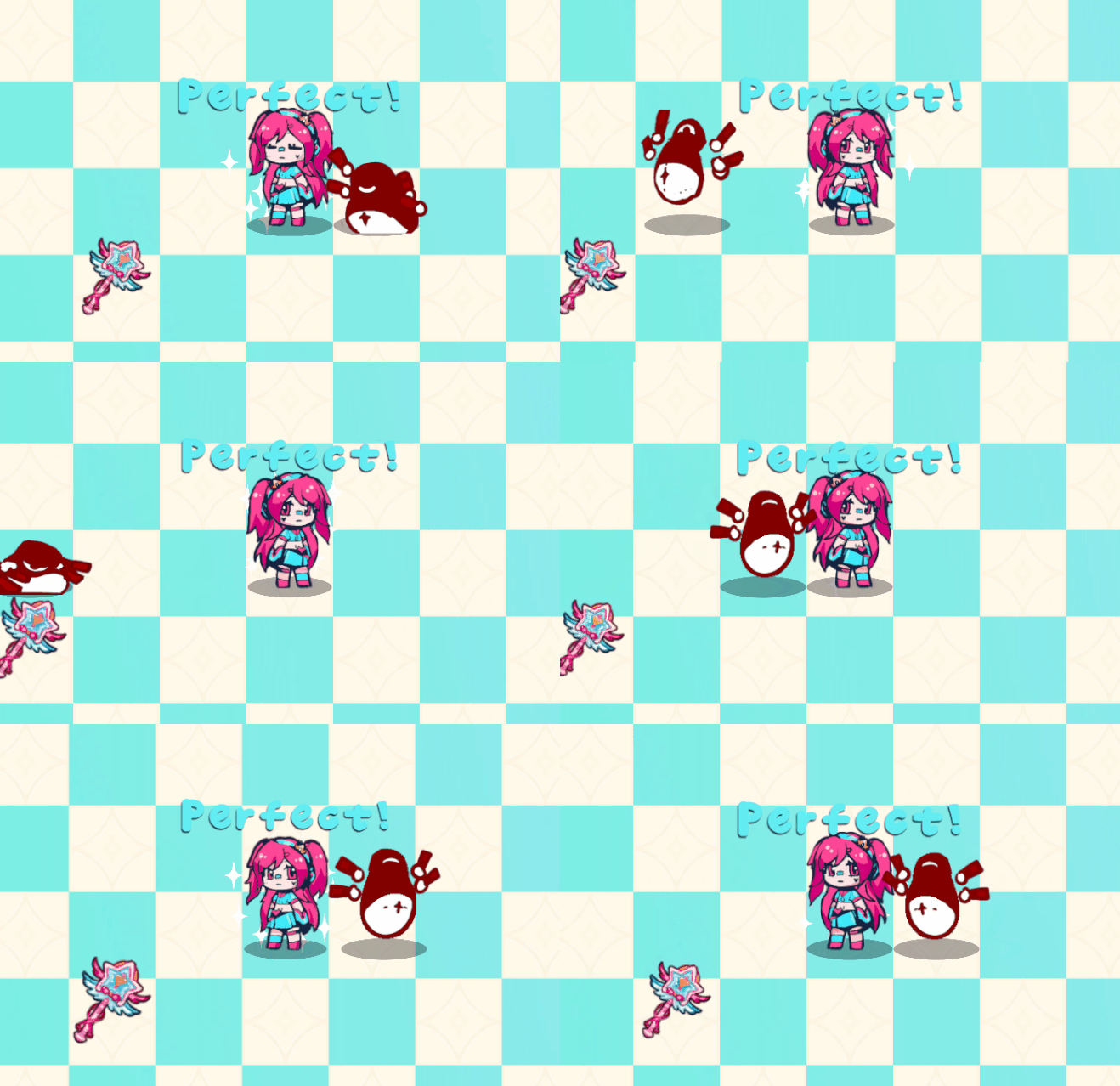
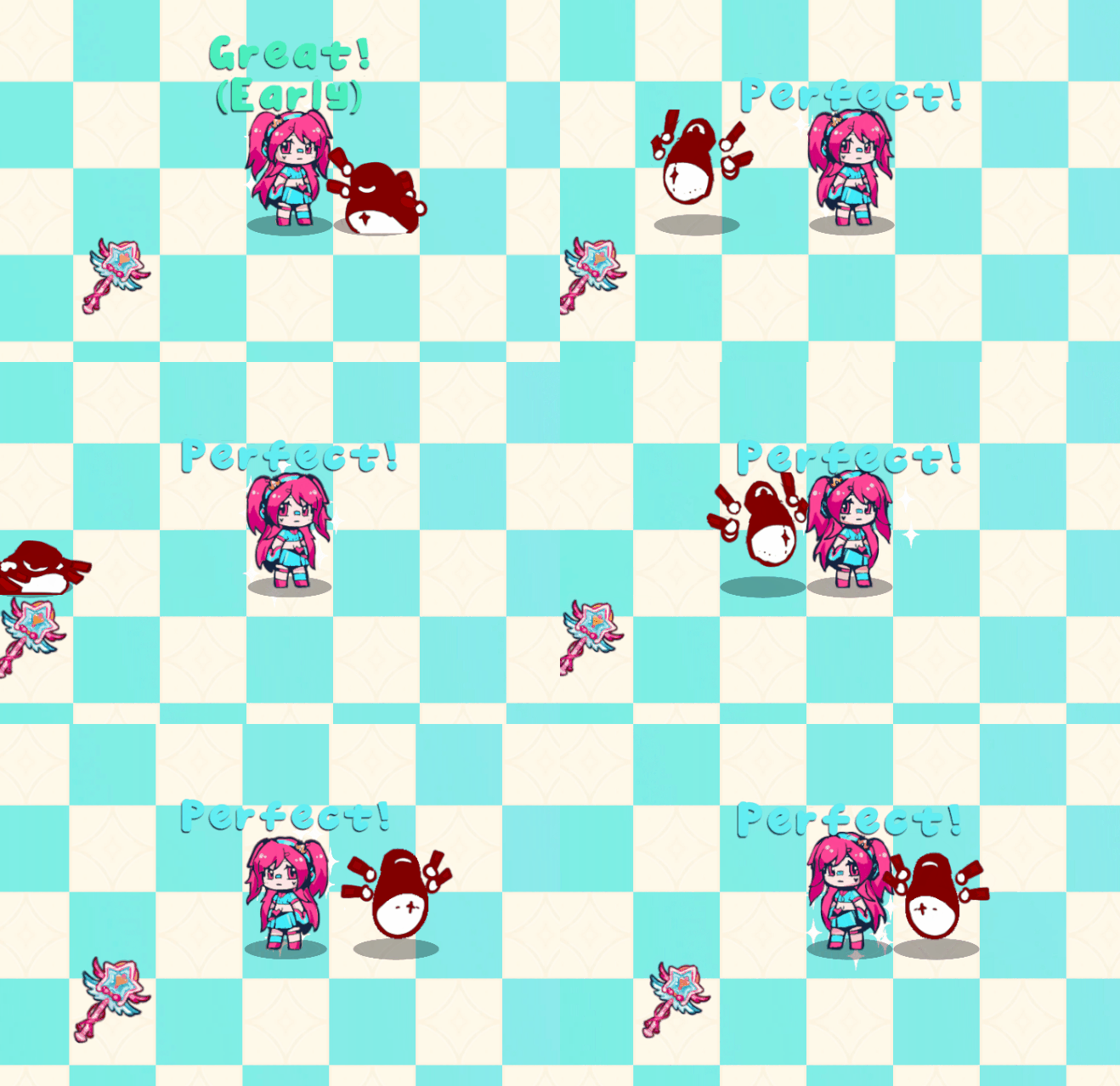
Moving enemies also led to several new bugs. Before I implemented these enemies, only the player moved tiles at all. Having several moving entities revealed several weaknesses in my collision systems to that point. In the game, moving entities have a “move point” that stores their collider. This move point moves instantly, while the sprite is interpolated to meet the move point. Since the move points moved instantly, it was possible for the player and moving enemies to swap positions on a beat without interacting at all.
To fix this bug, I had the player and moving enemies keep track of their previous position and used that to check if the two had swapped positions. If so, the player would take damage. I considered preventing the move entirely, as with standing enemies, but this proved to be too frustrating for playtesters.
Music Synchronization

Conductor’s Update function
As a rhythm game, it was vital to synchronize game visuals with the music. To facilitate this, I created a script following the singleton design pattern, Conductor.cs. The Conductor exists in every scene and persists between scene loads so that every level and menu can reference it. This allowed me to create several utility components for objects to respond in different ways to the conductor. For example, I had components that would pulse, move, and or rotate an object along with the beat. These proved useful both in the game as well as the menus to quickly make everything a little more lively.
To maintain perfect sync with the currently playing music, the Conductor the time from Unity’s AudioSettings and calculates the time elapsed since the last frame as a double. This method offers significantly more precision than Time.deltaTime, ensuring that the Conductor stays perfectly synchronized with any audio Unity plays.

The Conductor can then calculate it’s relative position in the current beat, which I call the “beat fraction.” This depends on the duration of a single beat (m_secPerBeat) which is determined by the current music track. This beat fraction is interpreted as being either before or after the beat and can then be translated into a timing rating based on designer controlled tolerances.
Additionally, I account for input delay by offsetting the beat input by a fixed designer controlled amount. I had originally intended to make this a user-facing feature, but we ran out of time and ultimately other tasks took greater priority. We were developing for a specific model of Android tablet and as such I was able to tune the offset to a reliable constant value. However, in the less consistent browser environment, the input delay is a lot more noticeable due this fixed offset
Menus and User Interface
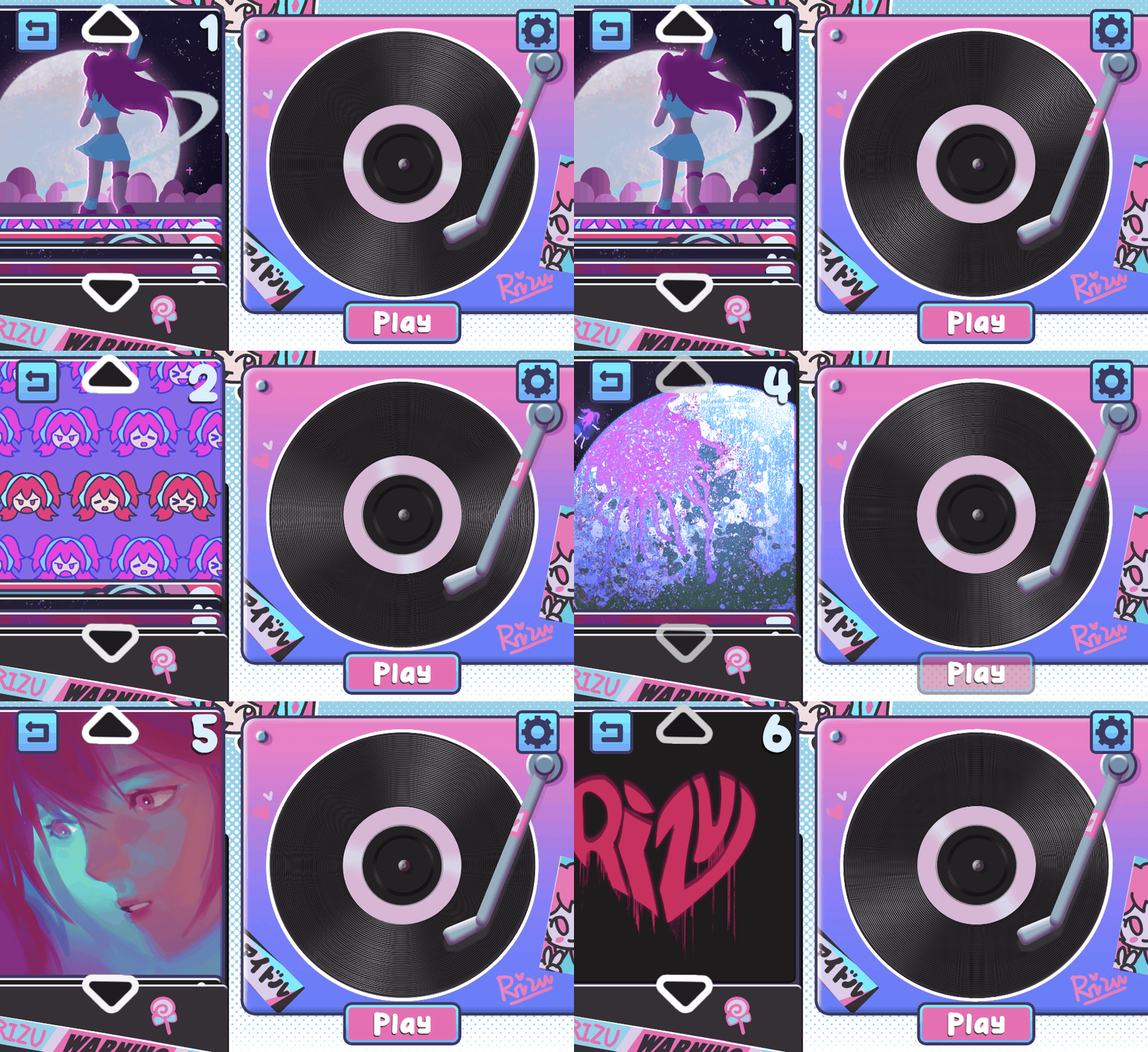
The level select menu
Working on the user interface was both some of the most fun I had working on the project and the source of a lot of struggle and iteration. I worked directly with our artist Shuyi Shi to realize her menu concepts. She created the original concept for our level select, for example, and together we were able to determine the asset requirements necessary to make it work in motion.
Much more difficult was building the in-game HUD. For instance, originally the game was controlled by taping relative to Rizu herself to move. Rather than a dedicated dash button, players could tap a second time on the off-beat to charge their dash for the next beat. This method was more interesting to me as a musician, so I pushed hard for it; however, several problems became apparent as we tested each iteration of the game.
For one, many players found it cumbersome to tap across the entire screen of a tablet to move. Moving in certain directions meant blocking your view of Rizu with your arm. To solve this, we created an on-screen controller to reduce the area necessary to interact with. (Though, I did make the actual intractable area larger than the buttons themselves to prevent accidentally missing a button.)
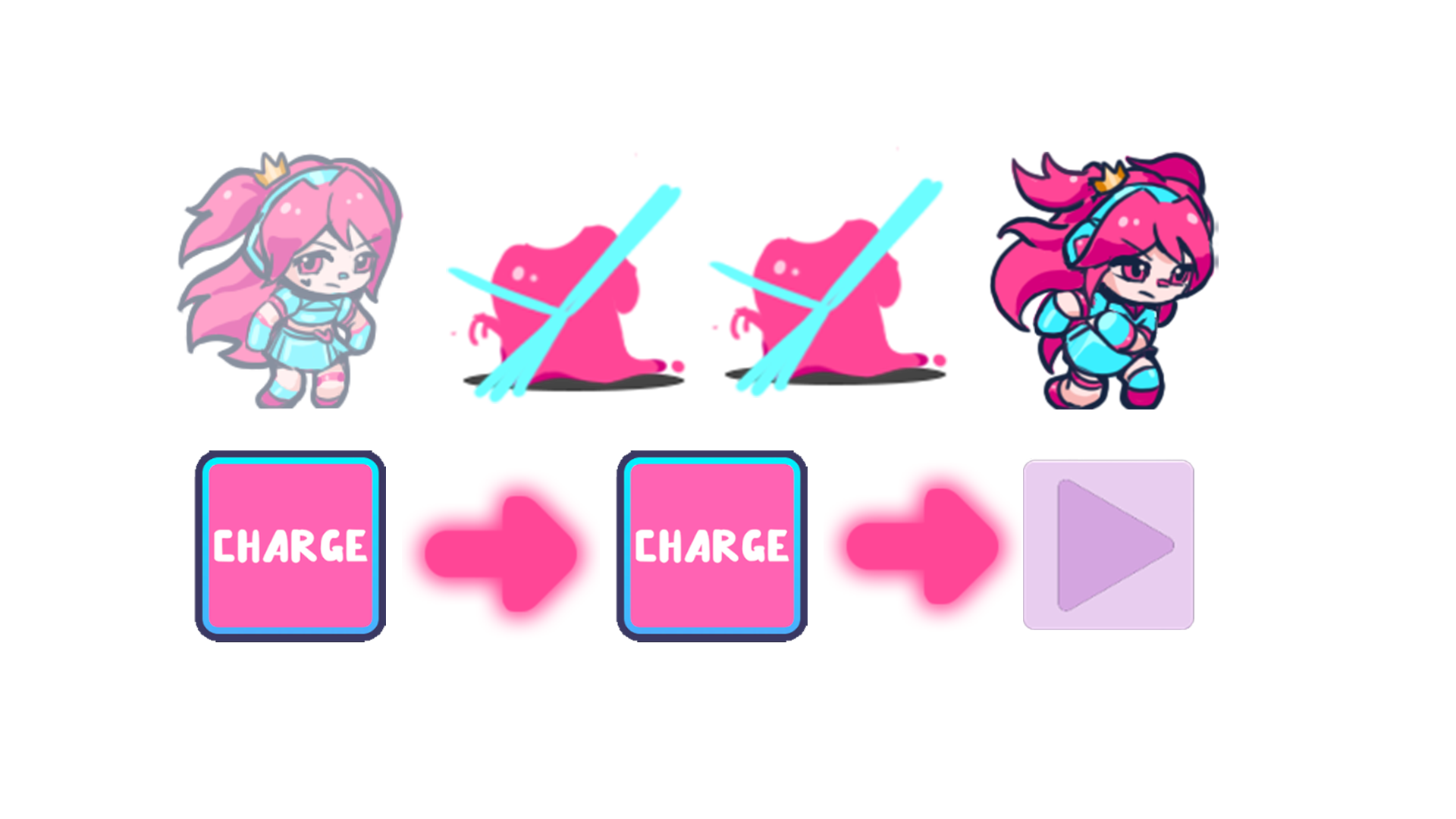
A tutorial meant to teach the player that they can dash through multiple spaces in one go.
Additionally, some players struggled to understand the offbeat dash charging mechanic. We performed AB testing with the dashes on offbeats and with the dash as a separate button on downbeats. While musically inclined players picked up the offbeat mechanic quickly and preferred it somewhat to the on beat button, we ultimately decided to change the system to accommodate a wider range of player ability at the expense of some mechanical challenge.
Even after this change, we also struggled to effectively teach the game’s mechanics. We didn’t have the development time available to make a separate tutorial scene, so we tried to make the game as easy to pick-up without out explicit tutorials as possible. Ultimately we settled on a combination of visuals and text overlayed in the first level.